

What Belongs in an AI Acceptable Use Policy? A Checklist
Last Updated: September 2026
An AI acceptable use policy is the part of your AI rules that tells staff what they may and may not do with AI at work. It says which data can go into a prompt, which needs sign-off, and which never leaves systems you own. It also names who checks the output before the team acts. Good ones read like a checklist, not a contract.
AI Smart Ventures has guided growing businesses through AI adoption since long before any of this reached the board table. One split keeps turning up: rules built on data hold their value for years, while rules built on software go stale inside a quarter and stop being used.
Most AI rules fail quietly. Someone hits a case the page never named, picks the answer that saves an hour, and a client file lands in a public model. Rules sorted by how sensitive the data is answer that case up front, because each file a person touches already sits in one tier.
Key Takeaways
- Sort by data, not by brand: your tool list changes each quarter, while a signed client contract stays private five years from now.
- Use four tiers: public, internal, confidential and regulated, then write one short rule per tier instead of one rule per app.
- Name the leaks you get: Netskope found intellectual property, regulated data, and source code behind most AI data policy breaches.
- Write down the personal-account rule: 30% of AI users work only in personal apps, so rules built for work logins miss a third of the traffic.
- Add a check to each tier: the higher the tier, the more the output needs a named person to look at it first.
- Name your own regulator: privacy duties differ by market, so point at the body that covers you, not one global rule.
Together those six points describe a page that ages slowly, which is rare for AI writing. Your data types are stable facts about the business, while your software is a rented list that someone else keeps rewriting. Build on the stable half, and a new tool becomes a five-minute question, not a rewrite.
What Belongs in an AI Acceptable Use Policy?
Seven parts cover almost any case: a data tier map, allowed and banned actions per tier, a way to ask for an exception, an output check, a rule on saying AI helped, and the name of the person who decides. Notice what is missing. There is no list of approved brands, because such a list ages faster than the page around it.
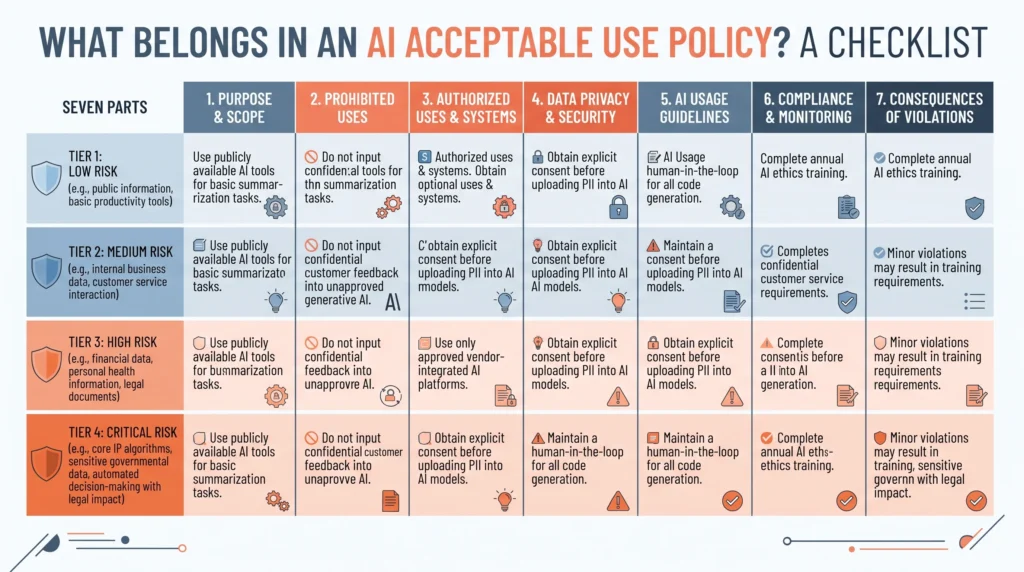
An acceptable use policy is smaller than a full AI policy, and it works better that way. It does not set out your AI strategy or risk appetite. It answers one question a person has at the keyboard: may I put this into that? Write each part in two or three lines. The whole page should fit on one screen, so a new starter can read it on their first morning.
Why Sort AI Rules by Data and Not by Tool?
Because the tool list moves and the data does not. Netskope’s AI Report: 2026, built on platform data to July 2026, shows the runner-up spot among work chatbots changing hands twice in six months. Gemini sat second, Microsoft 365 Copilot passed it in May, and Claude passed both in June. Rules naming those products needed two rewrites in a year. Rules naming client files needed none.
The same report puts numbers on what leaks: cases where staff send data to an AI tool against the rules rose to 69 a week at the average firm, up from 44 a year earlier. Intellectual property, regulated data and source code drove most of them. Those are kinds of data, not products. Tool-first AI agencies start from the app list instead, which is why that list needs swapping so often.
What Are the Four AI Data Sensitivity Tiers?
Four tiers cover most growing businesses. Public means work you have published. Internal covers routine work that would sting if it leaked but harm nobody. Confidential covers client files, contracts, deal terms, and source code. Regulated covers personal data, health records and anything a privacy law names. Sort your data once against those four, and almost any AI question has an answer.
| Tier | What sits here | Examples |
|---|---|---|
| Public | Published or cleared | Website copy, case studies, job adverts |
| Internal | Ordinary work, awkward if leaked | Meeting notes, draft plans, team updates |
| Confidential | Damaging if leaked | Client files, contracts, source code |
| Regulated | Covered by a privacy law | Customer records, staff files, health data |
Most teams already own a version of this map, buried in an old IT policy nobody reads. Lift it out and reuse the same tier names, because two sets of labels confuse people more than one rough set. Where no map exists, build it from the files your team handles in a normal week, not from a standard. Twenty real cases sorted into four buckets teach more than a page of theory.
What May Staff Do With Each Data Tier?
Each tier gets one rule, short enough that a person can repeat it from memory. The rules tighten as the risk rises: open use, then work accounts only, then an approved workspace with a named checker, then a route around general chatbots. Keep product names out of the wording. The rule still holds next quarter, when half the tools have new terms.
- Public: use any AI tool, personal account included, since it is public already.
- Internal: use only accounts the business owns, with model training switched off.
- Confidential: use an approved workspace, and have a named colleague check the output before it goes out.
- Regulated: keep it out of general chatbots, and route the request through whoever owns privacy.
The personal-account rule settles most cases: Netskope found 30% of AI users work only in personal apps and 14% more mix personal with work, so a rule built for work logins covers under half the traffic. Write the rules so they make sense on a phone at home. AI Smart Ventures observes that this one line shifts habits faster than any block list, because it gives people a legal route to what they would do anyway.
How Do You Keep AI Data Tiers Current?
Review the tiers twice a year, and after any change in what your business handles. Do not review after each product launch, because that defeats the point. A new tool should raise one question: which tier may it touch? Give one named person the final call, log each exception with a date and a reason, and read that log at review time.
Rules hold better when they are short enough to quote out loud. Pair the page with AI training built on five real cases from last week: AI literacy turns a rule into a habit. Cisco’s 2026 data and privacy study of 5,200 privacy staff in 12 markets found 75% now run a group that owns AI oversight, but only 12% call it mature. The gap is rarely the page; nobody has practiced using it.
Sorting your data into tiers is the first hour, and it decides whether the rest holds. AI Advisory helps founder-led businesses map those tiers and write the rules on top, drawing on Applied AI work with 20,000+ professionals trained.
Frequently Asked Questions
How do I create an AI policy for my company?
Start by listing the data your team handles in a normal week, then sort it into four tiers. Write one allowed-use rule and one banned-use rule per tier. Add a way to ask for an exception, an output check, and the name of the decision maker. Test the draft against five real cases from last month, then publish it on one page.
Where can I find an AI acceptable use policy PDF or template?
Standards bodies, colleges and trade groups publish free templates, many of them as PDFs. Treat any of them as a shape, not a finished page. A template cannot know which of your records are regulated, which contracts bar third-party handling, or who signs off an exception. Take the headings, then swap each example for data your own team really touches each week.
What should an AI acceptable use policy for employees cover?
Four things, in plain words. First, which data sits in each tier, with real examples from your team’s inbox. Second, what a person may do with each tier, and whether a personal account is allowed. Third, who checks AI output before it reaches a client. Fourth, what happens when someone gets it wrong. Keep it under one page so people read it.
What does an AI acceptable use policy for schools need?
Schools carry a tier most firms do not: student records, which sit under school privacy rules in many places. A school page needs age-based use rules, staff rules for marking and reports, a clear line on assessment, and a named person for parent questions. The tier structure still works here. The tiers simply run one step tighter all the way down.
What data should never go into a public AI chatbot?
Regulated personal data is the clearest case. The Office of the Australian Information Commissioner advises, as best practice, that firms keep personal data, above all sensitive data, out of public AI tools. Source code, signed contracts, and unreleased results stay out too. A simple test helps: if you would not want a rival to read it, keep it out of a public prompt.
Does the policy have to match my country’s privacy law?
Yes, and this is where copied templates fail hardest, because duties differ by market. Canadian privacy regulators, for example, published joint principles in December 2023 urging firms to use data with the names stripped out wherever personal data is not truly needed. Name the body that covers you inside the top tier, and link its guidance rather than copying it out.
Should the policy name approved AI tools at all?
Keep a tool list, but keep it off the policy page. Publish it on its own page, so your AI owner can update it without changing the main one. The split matters because the two move at different speeds. Netskope’s 2026 data shows the runner-up chatbot changing twice in six months, so a page carrying product names drifts out of date fast.
How is an acceptable use policy different from a wider AI policy?
An acceptable use policy answers what a person may do at the keyboard today. A wider AI policy covers strategy, buying, vendor checks, risk limits, and who signs off new systems. Staff read the first one; leaders read the rest. Splitting them keeps the staff page short, and short pages get followed. Length is the strongest sign of whether a rule gets used.
Who decides which tier a piece of data belongs in?
One named person should hold the final call, often whoever owns data protection or IT. Day-to-day sorting sits with the team that made the data, since they know it best. When someone really cannot tell, treat it as one tier higher until the owner rules on it. Log that call, so the same question does not come back next month.
Do staff have to say when AI helped with a piece of work?
Set this by tier and by audience, not by tool. Internal drafts rarely need a note. Client work, published research, and work with legal or financial weight often does, and some contracts now demand it in writing. Check your own contracts before writing the rule. A line that clashes with a signed contract creates the problem it was meant to stop.
How often should you review an AI acceptable use policy?
Twice a year suits a tier-based page, plus a review when your business starts handling a new kind of data. That is the gain from the structure. Tool-based rules need work every quarter because their content goes stale, while data tiers stay put. Add one standing item: read the exception log and decide whether any repeat request should become allowed use.
How long does it take to put an AI acceptable use policy in place?
Most growing businesses have a working page inside two weeks. Sorting your data into tiers takes one session. Drafting the rules takes an afternoon, and the rest is sharing it, testing it on real cases, and one training session. Time, not budget, is the real limit. Book a consultation to work through your tiers and leave with a draft you can share.
How can I tell if an AI agency knows what they’re doing with enterprise-grade security?
Ask four questions before the proposal: Which data leaves your systems and under whose terms? What is their policy on training AI models using client inputs? Do they hold a current SOC 2 report, and will they share it? Who is the named data protection contact on your account? An agency that answers all four in writing, without being asked twice, has built security into its process. One that deflects to “we use enterprise-grade tools” has not. AI Smart Ventures builds every engagement to SOC 2 and GDPR standards — book a consultation to see what that looks like in practice.
Executive Summary
An AI acceptable use policy works best when built on data tiers, not product names. Four tiers, public through regulated, carry one allowed-use rule each, plus an exception route, an output check, and a named owner. That shape survives tool churn: Netskope recorded the runner-up chatbot changing twice in six months of 2026. Keep the tool list on its own page, name the body that covers your market inside the top tier, and review twice a year, not after each launch.
What Should You Do Next?
List each kind of data your team handled last week and sort it into tiers. Write one allowed-use and one banned-use sentence per tier, then test all four against the month’s three most awkward requests. Publish the page, and keep the tool list elsewhere.
AI Smart Ventures offers AI Advisory for growing businesses that need practical AI governance without a legal team behind it. Schedule a consultation to map your data tiers and leave with a page your team will follow.
People Also Read
- How to Evaluate AI Vendors When You Are Not Technical: 10 Questions to Ask
- How to Audit Your AI Tools and Cut Subscriptions That Aren’t Delivering
About the Author
Nicole A. Donnelly is the Founder of AI Smart Ventures and an AI Adoption Specialist with 20 years of experience as a founder and CEO and over a decade leading AI adoption initiatives. She helps businesses integrate artificial intelligence with clarity and confidence, driving innovation and sustainable growth. Nicole has trained over 20,217 professionals in Applied AI, delivered 624 workshops, and worked with close to 1,000 organizations across diverse industries.
Expertise: AI Transformation, AI Strategy, AI Implementation, AI Adoption, Applied AI, Marketing, Business Operations
Disclaimer: This content is for informational purposes only and does not constitute professional business or technology advice. Results vary based on industry, existing systems, and implementation commitment. Contact AI Smart Ventures for a consultation regarding your specific situation.

