
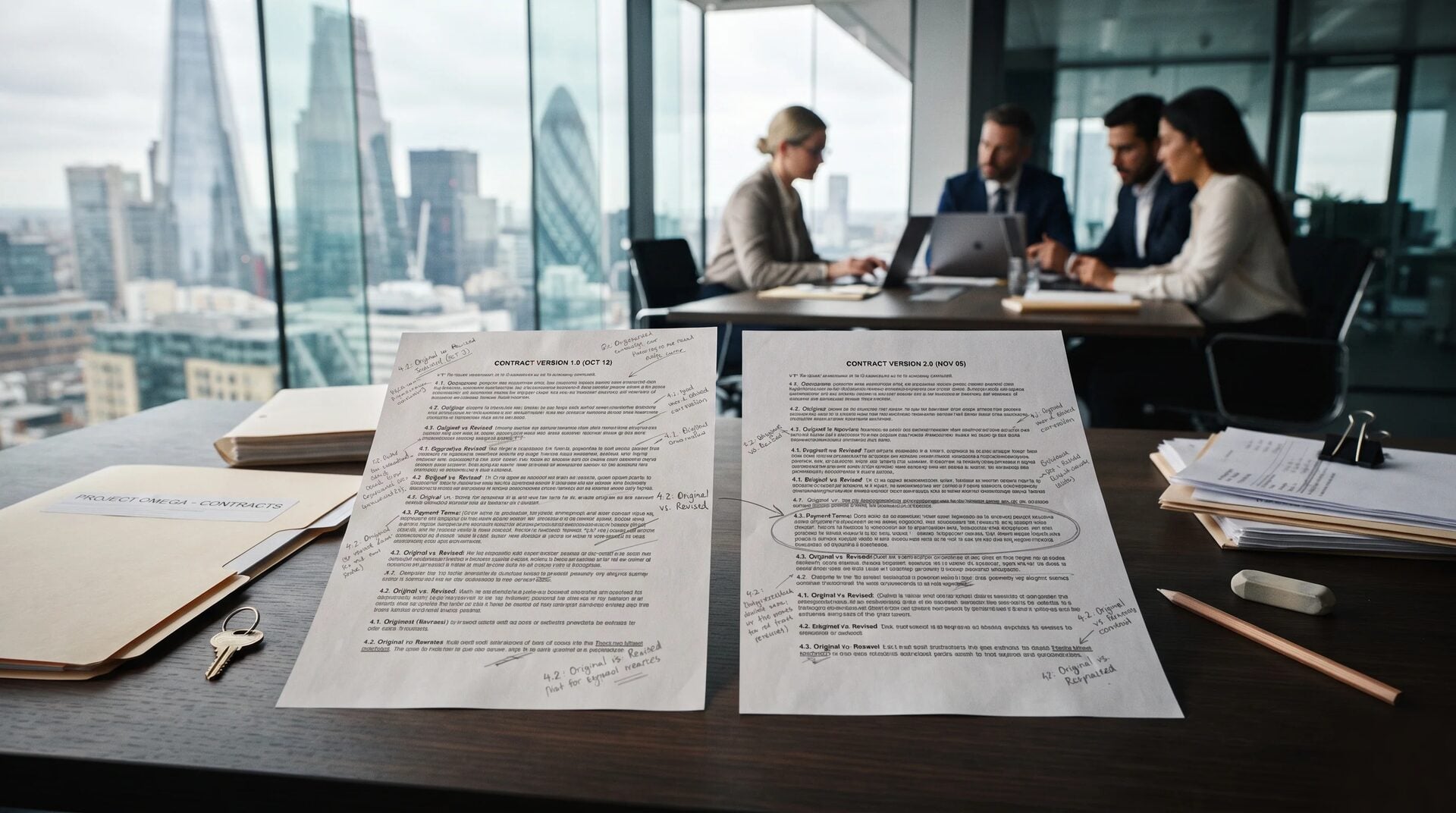
What Changed? Using AI to Compare Two Document Versions
Last Updated: October 2026
AI document comparison is the work of reading two versions of one file and naming what the newer one changed. Most tools stop at the words. They mark what was added, cut, or moved, then leave you to work out what any of it means. The question an owner brings to a new draft is both simpler and harder than that: what does this version commit us to that the last one did not?
AI Smart Ventures has guided growing businesses through AI implementation for more than a decade, and this gap turns up each time. A tidy list of edits comes back from the tool, the team reads it, and no one can yet say whether to sign.
That gap is where the quiet losses sit. A date moves by a week, a limit is raised, a defined term is widened, and no one notices until the duty lands months later. The redline was accurate; the useful question was never asked.
Key Takeaways
- Ask for effects, not differences: a redline names the words that moved, so ask instead what the new version requires, permits and quietly removes.
- Treat the first list as a draft: across 7,514 altered contracts, the best model in one 2026 benchmark scored an F1 of 65.4% at finding an inserted change.
- Fluent is not complete: graders in that same test scored model explanations 3.5 to 4.4 out of 5 for clarity, and only 1.4 to 2.6 for completeness.
- Check the small facts by hand: dates, counts, defined terms and cut lines are where a diff looks clean while the sense has moved.
- Deletions hide better than additions: new wording draws the eye, and a line that is simply gone leaves nothing on the page to read.
- Duties go to counsel: where a change alters what you owe, your lawyer decides, and the tool’s job is to frame the question.
Read in order, they describe a two-pass habit. The tool makes the first pass and hands you a list of likely changes, and you make the second over a short set of facts that a machine handles worst and you handle best. That is what practical AI looks like on a busy Tuesday, and it needs no new software at all.
What does AI document comparison actually do?
It lines up two versions of one file, matches the parts that correspond, and reports where they differ. Older tools do that on letters and layout, while a model does it on sense, so it can tell you a clause was rewritten rather than that forty words were swapped. Both stop at describing, and neither one knows what your business has agreed to. That is why the output is a starting list rather than an answer.
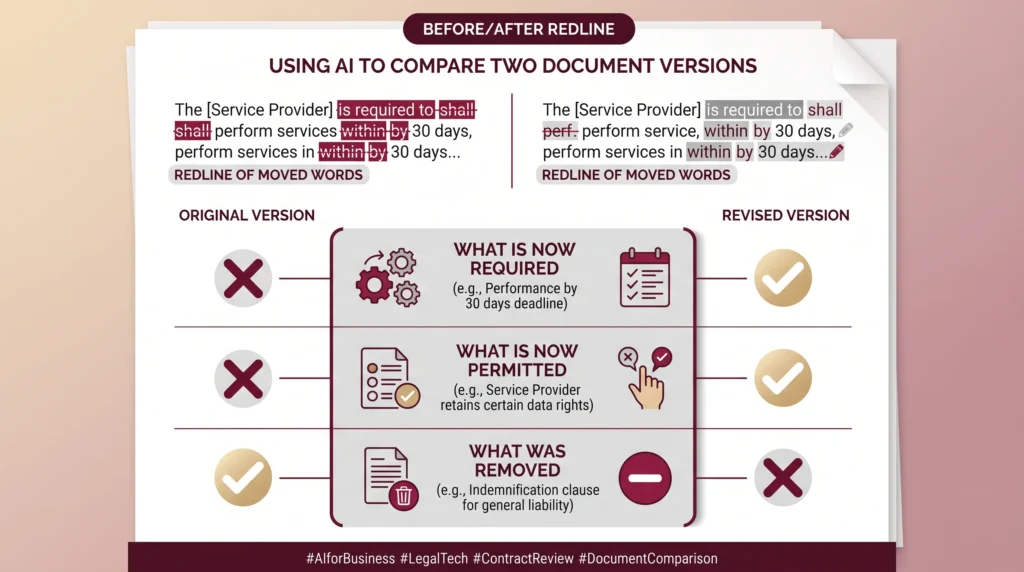
The familiar version is built into software you already run. Microsoft’s guidance on the legal blackline option says it compares two files and shows what changed between them in a third new file, leaving the two it read unchanged. That is a true record of edits and it is all it claims to be, so reading one still leaves the interesting work on your desk, which is where the rest of this article sits.
Why is a redline not the same as an answer?
Because a redline answers which words moved, and you asked what this version commits you to. A tracked change can be cosmetic and still read as alarming, or be tiny and carry real weight. The US House hit the same wall with bills and split the job in two: its Comparative Print Project was directed to build a document-to-document comparison and, apart from that, a view of how an amendment changes current law.
The second half took years longer than the first. The Clerk’s office showed the finished tool to the Congressional Data Task Force on 11 June 2026, where it was described as likely the first AI-enabled tool built inside the House, and it is still not open to the public. The lesson travels well past Congress: the diff was the easy half, and showing the effect on text already in force was the half worth the wait.
How do you ask AI for the effect of a change?
Give the tool both versions, then ask four questions one at a time. What does the new version require that the old one did not? What does it now let the other side do? What has been removed? And which dates, numbers or defined terms changed? Asking in that order leaves you four short lists you can act on, rather than one long list of edits you still have to read and judge.
Ask per clause, never per file. A whole-file question gets you a summary, and a summary is where the one change that matters gets averaged in with nine that do not. Then ask for the quote. Each effect the tool names should arrive with the exact line from the new version beside the line it replaced, so you can read both in place. AI literacy at this level is a review habit rather than a prompting skill.
AI Implementation from AI Smart Ventures builds that step into the review your team already runs, so the effects question gets asked before anyone signs.
What should you still check yourself?
Four things, each time: dates, numbers, defined terms and whatever was cut. These are the items where a model is least safe and your own knowledge counts for most, because you know which date was negotiated and which was simply typed. Read them against the old version with your finger on the page. On a short file that takes minutes, and it catches the changes that become arguments later.
Defined terms earn a pass of their own. A definition can be widened in one line near the front and change the sense of thirty clauses no one edited, so the diff shows one change while the file has moved underneath you. Cross-references behave the same way: renumber a section and each pointer to it either follows or quietly breaks. Real workflow optimization here comes from a short written checklist, and that is where the operational efficiency sits.
- Dates and periods: read each date, deadline and notice period in the new version against the old, including the ones the diff left alone.
- Numbers and limits: check each figure, count and cap, since one digit can change a duty without changing a sentence.
- Defined terms: compare the definitions first, then re-read each clause that leans on them.
- Cut lines: ask outright what is gone, because nothing on the page points at a gap.
How can a clean diff hide a real change?
When the words move a little and the sense moves a lot. A swap from “may” to “shall” is a few letters and a new duty, while a line that was cut leaves no mark at all. Reordered paragraphs can fill a redline with noise and bury the one edit that counts. Models carry the same blind spots in a measured way, so a tidy summary is no proof that nothing serious happened.
The clearest test of this landed in March 2026. Better Call CLAUSE, published in Findings of EACL 2026, inserted 23,955 changes into 7,514 contracts across ten kinds, then asked leading models to find them and explain them. The best detection score was an F1 of 65.4%, with recall above 90% but precision near half: it flagged nearly everything, and about half of that was wrong. Experts confirmed 98.58% of a sampled quarter as real changes.
| What moved | What it can do without looking serious |
|---|---|
| One modal verb | Turns a choice into a duty |
| A defined term | Changes clauses no one edited |
| A cut line | Removes a safeguard in silence |
| Section numbers | Breaks each cross-reference |
| A moved paragraph | Fills the diff with noise |
When does a change need your lawyer, not AI?
As soon as it touches what you owe, what you can be held to, or how you get out. A tool can show the edit and put the question into plain words, but it cannot tell you whether the new wording binds you, and nothing here is legal advice. In the same CLAUSE tests, models tied a flagged problem to the right law at best 13.7% of the time, which is the gap your counsel fills.
Set the routing rule before the next draft arrives, not during it. Agree in writing which kinds go straight to counsel: liability, renewal, secrecy, ending the deal and how disputes get handled. The rest can be settled by whoever owns the relationship. That split is change management rather than software, and good AI advisory work treats routing as the first design choice, while tool-first AI agencies tend to sell the summary and leave it to you.
Frequently Asked Questions
Can ChatGPT compare two drafts of the same file?
Yes, if you upload both and ask narrowly. It copes well with a short file and gets less safe as length grows, since it has to hold both versions at once. Ask clause by clause rather than for a whole-file summary, and make it quote the old line and the new one for each change it names. Treat whatever it cannot quote as unproven.
Which AI is best at spotting what changed?
No single tool wins outright. Dedicated diff software is better on exact text and layout, since that part is a solved problem, while a general chatbot is better at putting the effect of a change into plain words. Many teams use both: the software gives you the solid diff, the chatbot drafts the effects list, and a person checks the dates and numbers by hand.
Does Copilot tell you what changed between drafts?
Yes, across the Microsoft 365 files it can reach, and it works best when both versions sit in one place as clean files. Word’s own compare is a separate feature that writes the changes into a third file and leaves the two it read alone. Ask the chatbot for effects, and keep that third file as your record of what moved.
How do you confirm two files are truly identical?
Do not ask a model. Use a diff tool or a checksum, because that answer is exact while a model’s answer is a judgment. A tool reporting no differences is solid proof, but a chatbot saying the two files look the same is not, since it can read two versions into one summary and never notice the gap that sits between them.
Can AI compare two PDFs you only have as scans?
Carefully. It all rests on the text being read off the page right in the first place, and parsers still vary. ParseBench, published in April 2026, tested 14 parsing methods on about 2,000 checked pages of insurance, finance and government files, and the best overall score was 84.9%. Nested headers, merged cells and tables running across a page break are where it slips.
Why is a word swap riskier than a full rewrite?
Because a short change draws less notice than a long one. Turning a permission into a demand can take one word, and the diff shows one word. Machines make the same slip: a 2025 study turning a consumer code into logic recorded a case where a permission was written down as a duty. Read the short changes twice and the long ones once.
Who should own the final read on a changed draft?
The person who will be held to the file, with counsel on whatever touches duties. A diff tool and a chatbot between them give you a list of likely changes, and somebody still has to decide. Name that person before the draft arrives, because reviews stall while people work out who signs. One named owner per file beats a policy no one can point to.
How do we start asking for effects instead of differences?
Pick the next file you expect in two versions and run both passes on it once. Ask the four questions clause by clause, then check dates, numbers, defined terms and cuts yourself, and note what the tool missed. Effort tracks file length and how many versions are in play, not team size. Schedule a consultation to build the habit into your review step.
Executive Summary
AI document comparison tells you which words moved between two versions. It does not tell you what the new version commits you to, and that is the question worth asking. Hand the tool both drafts and ask four things, clause by clause: what is now required, what is now permitted, what was removed, and which dates, numbers or defined terms changed. Make it quote both lines for each claim. Then check the small facts yourself, because a one-word swap can create a duty while the diff still looks clean. Where a change alters what you owe, your counsel decides.
What Should You Do Next?
Take the next file arriving as a second version and read it twice this week. First pass: ask the tool, clause by clause, what the new wording requires, permits and removes, with both lines quoted. Second pass: check the dates, numbers, defined terms and cuts yourself, then write down whatever the tool missed.
AI Smart Ventures offers AI Implementation for growing businesses that want the effects question built into document review with clarity and confidence. Schedule a consultation to design that step around the files your team actually receives.
People Also Read
- AI Procurement Agents for Small Manufacturers: Cut Costs in 2026
- AI Review Generation for Business Owners: FTC Rules in 2026
About the Author
Nicole A. Donnelly is the Founder of AI Smart Ventures and an AI Adoption Specialist with 20 years of experience as a founder and CEO and over a decade leading AI adoption initiatives. She helps businesses integrate artificial intelligence with clarity and confidence, driving innovation and sustainable growth. Nicole has trained over 20,217 professionals in Applied AI, delivered 624 workshops, and worked with close to 1,000 organizations across diverse industries.
Expertise: AI Transformation, AI Strategy, AI Implementation, AI Adoption, Applied AI, Marketing, Business Operations
Disclaimer: This content is for informational purposes only and does not constitute professional business or technology advice. Results vary based on industry, existing systems and implementation commitment. Contact AI Smart Ventures for a consultation regarding your specific situation.

