

Generative AI for Customer-Facing Teams: A Growth Guide for Owner-Operated Businesses
If you run an owner-operated business, generative AI can help you respond faster, market smarter, and sell more consistently without adding unnecessary complexity. The key is not using more tools. It is using the right tools in the right workflows with clear human review.
Key Takeaways
- Generative AI for small business works best when you start with repetitive, customer-facing tasks that already slow your team down.
- The fastest wins usually come from meeting summaries, inbox triage, customer response drafts, proposal drafting, and follow-up emails.
- AI customer service integration should support your team, not replace judgment. The best model is AI drafts, humans review and send.
- AI marketing leads improve when you use AI to speed up content creation, sharpen your ideal customer profile, and personalize nurture sequences.
- To grow sales pipeline with AI, begin with your CRM, lead qualification rules, and the follow-up moments that currently get missed.
- Strong results come from phased adoption: map, test, measure, then scale.
- An owner-operated business AI strategy needs training, workflow design, and accountability, not just software.
Falling Behind? How to Quickly Catch Up and Integrate AI into Your Daily Operations
If it feels like competitors are moving faster with AI, you are not imagining it. But here is the good news: you do not need to catch up on every tool, every headline, or every trend. You need a practical plan. For most owner-operated businesses, the fastest path forward is not a massive transformation. It is a focused set of quick wins tied to time saved, response speed, and revenue movement.
Start by mapping the work your team repeats every day. Look at customer emails, appointment follow-ups, internal handoffs, meeting notes, quote preparation, lead routing, and task updates. These are usually the first places where generative AI for small business creates value. If a task happens often, follows a pattern, and still needs a human final check, it is probably a strong AI candidate. If you need help finding those opportunities, this guide on how to audit your business operations for AI automation is a smart next read.
Then keep the first use cases simple. Use AI to summarize meetings into action items. Use it to sort inbound inquiries by urgency. Use it to draft first-pass replies, create call summaries, and turn rough notes into clean follow-up tasks. These are low-barrier changes because they fit into work your team is already doing. You are not asking people to become technical. You are helping them remove friction.
Just as important, take a phased approach. Start small, validate ROI, and scale what works. One workflow that saves 30 minutes a day for three team members is not small. Over a month, that is meaningful recovered capacity. Over a year, it becomes a real operational advantage. If you want a practical starting point, AISV has a useful resource on where to start with AI and how to test your first project.
Finally, make the culture AI-ready. That means your team understands AI is there to support better work, not replace thoughtful people. Show them where it helps. Let them test it safely. Share wins. Keep humans accountable for final decisions. That is how you move from anxiety to momentum.
Elevating Customer Service and Streamlining Client Communications
You can use generative AI to improve customer service in your small business by speeding up response times, improving consistency, and helping your team find the right answer faster. In practice, that means AI should support the moments where customers feel delays, confusion, or uneven communication.
The easiest place to begin is response drafting. If your team answers the same 20 questions every week, AI can draft those replies in seconds. Shipping updates, scheduling questions, onboarding instructions, billing clarifications, and policy explanations are all strong candidates. The goal is not robotic support. The goal is faster first drafts that your team can review, personalize, and send. That is how you automate client communications without sounding cold.
The next step is internal knowledge access. Customer-facing teams lose time when they have to hunt for answers during a live call or while replying to an email. An AI-powered knowledge base can pull from your SOPs, service details, pricing rules, and policy documents so staff can get answers instantly. That is especially helpful for lean teams where one person may be handling support, sales, and account management in the same day. If you are thinking about front-end support tools too, AISV’s post on website AI chatbots and whether yours should have one can help you think through the tradeoffs.
AI can also help prioritize communication. Sentiment analysis and smart routing can flag angry clients, urgent requests, or high-value leads before they get buried in the inbox. That matters because not every message deserves the same response time. A frustrated customer or a ready-to-buy lead should move to the front of the line. AI helps you spot that faster.
Just make sure your brand voice stays intact. Build prompt templates and custom instructions that reflect how your business actually speaks. Friendly but direct. Professional but human. Clear, not bloated. This is where a lot of teams go wrong. They let the tool write in its default voice, and suddenly every message sounds generic. Better inputs create better outputs. AISV’s article on how to get consistent AI output by fixing the inputs is worth bookmarking.
And keep the human-in-the-loop. AI drafts. Humans review and send. That one rule protects quality, trust, and accountability.
Using AI to Generate Marketing Leads and Fill Your Pipeline
You can use AI for marketing to get more leads by increasing content output, improving targeting, and personalizing follow-up without adding a huge amount of manual work. For owner-operated businesses, that matters because lead generation often breaks down from inconsistency, not lack of effort.
Generative AI is especially useful at the top of the funnel. It can help you brainstorm blog topics, draft social posts, write ad variations, repurpose webinars, and turn customer questions into lead-generating content. That does not mean you publish everything it writes. It means you move from blank page to strong draft much faster. When content production speeds up, your business shows up more often, answers more buyer questions, and creates more opportunities for inbound demand.
AI also helps sharpen your ICP and campaign focus. Feed it your best customer patterns, sales call notes, and conversion data, and it can help surface trends you may be missing. Which offers convert fastest? Which channels bring better-fit leads? Which objections show up again and again? That is where AI marketing leads become more than content volume. They become better-fit opportunities.
If you want your sales pipeline to grow using AI, begin with the handoff between marketing and sales. Connect your CRM, define lead scoring rules, and automate the first layer of follow-up. A lead who downloads a guide should not sit untouched for five days. AI can trigger a nurture sequence, personalize a follow-up message, and summarize the lead context for the sales rep before the first conversation. If you are trying to connect AI to the systems you already use, AISV’s guide on connecting AI to software you already use is a practical place to start.
This is where generic marketing starts to fall away. Instead of broad campaigns that speak to everyone, AI helps you create more relevant messaging for narrower groups. Different industries. Different pain points. Different buying stages. That kind of personalization is what helps small teams compete with much bigger ones.
Crafting Winning Sales Emails and Client Proposals with Generative AI
You can use generative AI to write better sales emails and client proposals by giving it the right context, the right structure, and a clear standard for tone. The mistake is asking AI to “write a sales email” with no guidance. That is when you get stiff, vague, robotic copy.
Start with better prompting. Give the AI the prospect’s role, company type, known pain points, stage in the sales process, and desired outcome. Then tell it what not to do. No hype. No generic claims. No fake urgency. Ask for concise, human outreach that sounds like a real person who understands the buyer’s problem. You can also use AI to generate multiple versions of a follow-up so your team is not sending the same message every time.
AI is especially powerful after discovery calls. Drop the transcript into your workflow and ask AI to summarize goals, pain points, objections, budget clues, timeline, and decision criteria. From there, it can turn messy notes into proposal sections, scope summaries, timelines, and value statements. That alone can cut proposal drafting time dramatically and help your team respond while the conversation is still fresh. If your team is building repeatable workflows, AISV’s article on how to scale one AI workflow to a whole team will help.
You can also create proposal templates by industry, service line, or buyer type. Then AI fills in the specifics. That keeps your sales process faster without making every proposal feel copy-pasted. And before anything goes out, use AI one more time as an editor: tighten the language, improve clarity, remove fluff, and make the recommendation easier to say yes to.
Your Next Steps: Building a Sustainable AI Strategy
Here is the part that matters most: AI tools alone do not create results. Strategy, workflow design, and team capability do. That is why the businesses getting real ROI are not the ones chasing every new app. They are the ones building an owner-operated business AI strategy that fits how they actually work.
For the next 30 days, keep it simple:
- Pick one customer-facing workflow that repeats every week.
- Measure the current time spent and the current quality issues.
- Use AI to support the first draft, summary, or routing step.
- Keep a human review step in place.
- Track time saved, speed improved, and business impact.
- Train the team on one workflow before introducing five more.
- Decide what to scale based on evidence, not hype.
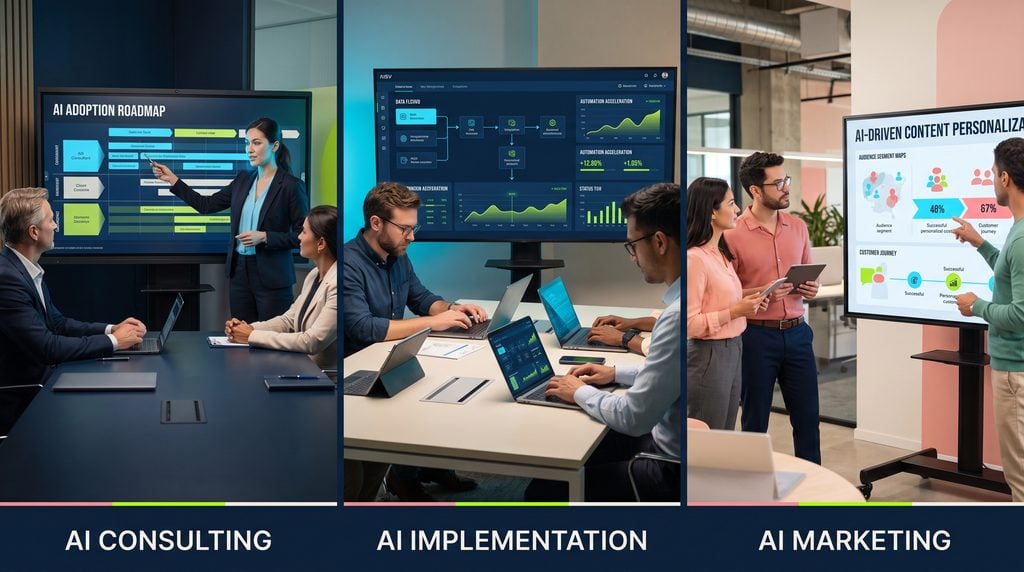
If your team needs support, this is exactly where AI Training / Upskilling and AI Implementation become valuable. Training helps your people use AI with confidence and judgment. Implementation helps you turn scattered ideas into reliable workflows that actually run inside the business. And if you need a roadmap before either of those, AI business consulting gives you a practical path forward. AISV also has strong guidance on what to expect from an AI consulting engagement if you want to understand the process.
Ready to Transform Your Business with AI? Book a tailored consultation with AI Smart Ventures to identify your best AI opportunities and the fastest path to real results.

