
How to Train Your Entire Team to Use Generative AI Safely: A Practical Framework
Generative AI can absolutely improve how a business runs. It can speed up writing, reduce repetitive admin work, support research, draft customer replies, and help teams move faster with less blank-page friction. But here is the part a lot of businesses learn the hard way: buying AI tools is not the same as building AI capability.
If your team does not know how to use AI safely, clearly, and inside real workflows, you do not get transformation. You get scattered experiments, inconsistent output, and unnecessary risk. For owner-operated businesses, that is a serious problem because every wasted hour, bad output, or avoidable mistake lands back on leadership.
This article gives you a practical framework for training your whole team. We will walk through how to reduce risk, build confidence, evaluate AI training for employees, and choose an applied AI course that actually helps people do better work tomorrow, not someday.
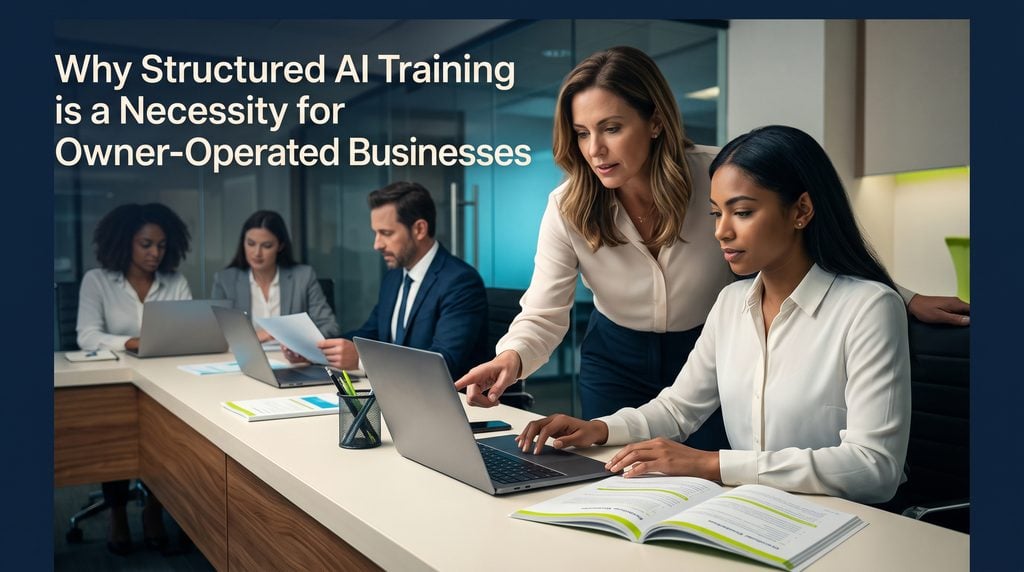
Why Structured AI Training is a Necessity for Owner-Operated Businesses
A lot of teams are already using AI, whether leadership has formalized it or not. That is where problems start. Employees open free tools, paste in work information, test prompts on live tasks, and build habits with no guardrails. This is often called shadow AI: unapproved AI use happening quietly across the business.
The risk is not just technical. It is operational. One employee may paste customer details into a public tool. Another may use AI to draft a client message without checking accuracy. Another may avoid AI completely because they are worried they will get it wrong. In all three cases, the business loses. If you want a deeper look at governance, this guide on what your AI policy should include is a strong starting point.
There is also a hidden opportunity cost when your people are intimidated. If your customer service rep still writes every reply from scratch, or your operations lead still rebuilds the same report every week, you are paying for work that could be faster and better with the right support. Structured AI upskilling turns that gap into measurable business value.
For owner-operated businesses especially, training is not a nice extra. It is how you protect the business while improving output. Done well, it reduces risk, speeds up adoption, and helps your team use AI tools in daily workflows with far more consistency.
Building a Foundation: Training Employees for Safe and Confident AI Use
What is the best way to train my employees on using generative AI safely?
The best way is to combine clear rules, hands-on practice, and role-based examples. Most teams do not need more AI hype. They need to know what is allowed, what is not, and how to use approved tools responsibly.
Start with a short, plain-English AI use policy. Your first version does not need to be fancy. It does need to be clear.
Important rule: Never allow employees to paste confidential, regulated, or personally identifiable information into unapproved generative AI tools.
At minimum, your policy should define:
- What tools are approved
- What data can be used in prompts
- What data is off-limits
- When human review is required
- Who to ask when something is unclear
Data that is usually restricted includes:
- Personally identifiable information
- Financial account details
- Health information
- Private HR records
- Confidential contracts
- Unreleased strategy documents
- Client data not approved for AI use
This is where generative AI safety becomes practical. Safety is not just about security teams. It is about everyday employee behavior.
How can I ensure my staff is confident using AI tools in their daily workflows?
Confidence comes from understanding and repetition, not from one presentation. Your team needs basic AI literacy first. They should understand, in simple terms, that large language models predict likely next words based on patterns. That means they can be useful, fast, and creative. It also means they can be wrong.
Employees need to know three things early:
- AI can sound confident and still be wrong
- AI output must be reviewed before use
- Better prompts usually produce better results
If your team is nervous, that is normal. Many people are worried about making mistakes or looking behind. One of the fastest ways to reduce resistance is to normalize learning. This article on why employees are resistant to AI and what to do about it breaks that pattern down well.
Next, create a safe sandbox. Give employees approved tools and low-risk tasks to practice on. For example:
- A customer service rep drafts a response to a common shipping question using fake customer details
- An operations manager uses AI to summarize meeting notes into action items
- A marketing coordinator asks AI for five headline options based on an existing campaign brief
These are safe, useful, and easy to review.
Then build confidence through quick wins. Start with repetitive work, not mission-critical decisions. Good first use cases include:
- Drafting internal emails
- Summarizing notes
- Rewriting messy text for clarity
- Creating first drafts of SOPs
- Turning bullet points into client-ready updates
- Brainstorming FAQ responses
When people see AI save 15 or 20 minutes on a task they hate doing, adoption gets easier. If training alone has not changed behavior yet, employee AI adoption when training alone is not working offers a useful next step.
Finally, make learning visible. Ask team members to share prompts, wins, and lessons in a weekly meeting or Slack channel. One employee’s good workflow often becomes another employee’s shortcut.
Evaluating Your Options: What Makes a Corporate AI Training Program Effective?
What makes a good corporate training program for generative AI?
A good corporate AI training program is practical, role-aware, and tied to business outcomes. It should not feel like a generic seminar that could have been delivered to any company in any industry.
The right program starts with your actual goals. Are you trying to improve customer response times? Speed up content production? Reduce admin work? Build safer AI habits across departments? If the training does not connect to those goals, it will be hard to sustain.
A strong program usually includes:
- Policy and safety guidance tied to your business
- Role-specific examples for each team or function
- Hands-on practice during the training itself
- Prompting skills that improve output quality
- Verification habits so staff check results before using them
- Follow-up support after the live session ends
Marketing, operations, HR, and customer service should not all get the exact same examples. They use AI differently. If you want a closer look at this distinction, AI enablement for teams versus training is worth reading.
How do I evaluate different AI training courses for my employees?
When you evaluate AI courses, do not just ask whether the material sounds smart. Ask whether your team will actually use it.
Here is a simple checklist:
| What to Evaluate | What Good Looks Like |
|---|---|
| Instructor experience | They have implemented AI in real businesses, not just taught theory |
| Relevance | The course covers your team’s actual workflows and use cases |
| Safety | It teaches data boundaries, review processes, and responsible use |
| Hands-on learning | Employees build, test, and practice during the program |
| Role fit | Content is tailored for functions like ops, marketing, HR, or service |
| Support | There is follow-up help, office hours, or advisory guidance |
| Measurement | The program defines how success will be tracked |
A few smart questions to ask vendors:
- How do you tailor training to our workflows?
- Do you teach policy, prompting, and verification together?
- What happens after the workshop ends?
- Can you show examples of business outcomes from past clients?
- How do you help non-technical employees adopt AI confidently?
Also, pay attention to whether the instructor sounds like a practitioner. The best AI trainers usually talk about workflow design, change management, output review, and adoption barriers, not just tool features. If you are comparing options, how to build an AI professional development program can help you think more strategically.
From Theory to Practice: Ensuring Applied AI Courses Deliver Real-World ROI
What makes an applied AI course actually useful for real-world work?
An applied AI course helps employees do real work better, faster, and more safely. It goes beyond explaining what AI is. It shows people how to use it inside the workflows they already own.
That means the course should start with workflow mapping. Before you automate anything, you need to know where time is actually going. A good trainer will ask questions like:
- Which tasks repeat every day or every week?
- Where do employees start from a blank page?
- What work slows down because information is scattered?
- Which tasks need human judgment, and which can be accelerated with AI?
For example, a service business might find that account managers spend hours each week summarizing call notes, drafting follow-up emails, and creating internal handoff documents. A useful applied course would help them build repeatable AI-assisted workflows for those exact tasks.
The best programs are hands-on. People should leave with assets they can use right away: prompt templates, draft workflows, AI agents, or standard operating procedures. If a course ends with inspiration but no implementation, it was not applied enough. And measurement matters. A course is useful when it leads to outcomes you can see, such as:
- Time saved per employee per week
- Faster turnaround on routine work
- Better first-draft quality
- More consistent internal documentation
- Reduced manual rework
That is the difference between AI education and business transformation. If you want more examples of practical adoption, generative AI for business teams: how to actually use it is a good companion read.
Implementing Your AI Upskilling Strategy with AI Smart Ventures
If you are serious about building safe, confident AI use across your team, AI Smart Ventures is built for exactly this stage of the journey. The focus is not on hype. It is on practical roadmaps, secure adoption, and measurable business outcomes.
For teams that need a clear starting point, our Applied AI Course Level 1 gives employees a guided path to using AI in real work. It is especially useful for non-technical teams that need hands-on skill building, stronger prompting, and confidence with day-to-day applications.
For leaders who want to go deeper into workflow design and business workflow automation, our AI Your Ops program helps map current processes, identify high-value automation opportunities, and build systems that actually save time. And if your business needs a bigger roadmap first, AI Smart Ventures also supports companies through consulting, advisory, implementation, and custom AI training tailored to the way your team already works.
Conclusion: Future-Proofing Your Workforce
Safe AI adoption does not happen because you handed out licenses and hoped for the best. It happens when people understand the rules, trust the process, practice in the right environment, and see clear wins in their own work.
That is why the best results come from intentional, role-specific, applied training. When your team knows how to use generative AI safely and confidently, AI stops being a side experiment and starts becoming part of how the business runs.
Ready to turn AI into measurable ROI for your team? Schedule a tailored consultation with AI Smart Ventures to identify your best AI opportunities, or enroll your staff in our Applied AI Course Level 1 today.

